One-Page vs. Multipage Website: The One Decisive Factor

Forget the multi-page bullet point lists comparing the pros and cons of one-page vs. multipage sites. Let's talk about the ONE thing that will actually determine which you need.
Have you ever landed on a website where everything you needed was right there, neatly laid out on a single page?
Sounds convenient, right?
That's exactly what a one-page site is for, when it's done well.
I see other blogs go on about how a one-page site is cheaper, easier to navigate, easier to maintain, faster to load, and better on mobile. And sure, all of that is true. But none of those things are why you should pick a one-page site.
At the end of the day, there's really only one thing that dictates whether you need a one-page site: how much content you have.
And it genuinely frustrates me that I don't see more people talking about this. Because here's the truth: it's impossible to design a site without first looking at the content. Too often I see people trying to force content and design together that simply don't belong. Content dictates design. Not the other way around.
Ever landed on a site that feels like a jigsaw puzzle? All the pieces are technically there, but nothing is organized? Some sections barely say anything while others go on forever? Or maybe you've seen a one-pager trying to do six completely different things at once.
That's a red flag. It means there was no real collaboration between whoever wrote the copy and whoever designed the site. The result is a confusing mess for the person actually trying to use it.
One-Page Websites
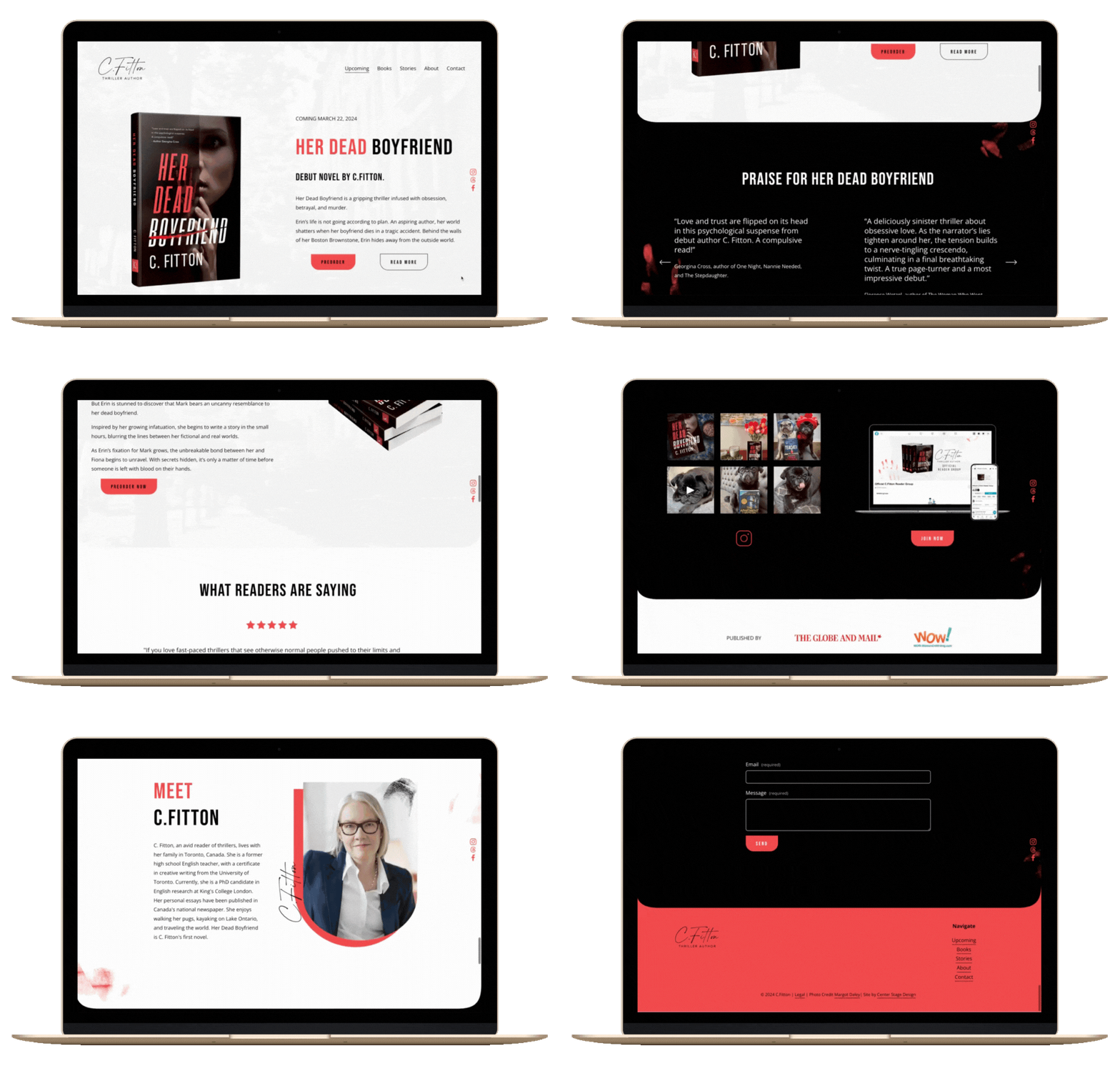
I always tell my clients: one idea per page. That's what gives visitors a cohesive experience. If you do one thing (you're a voice-over artist, a painter, an author promoting a book) a one-page site is genuinely perfect for you.
A one-page site lets you tell your story in a beautiful, intentional way. It creates narrative flow and, paired with good design, guides the visitor visually through your content without them even realizing it. It can be striking and simple at the same time. Navigation is straightforward, so no one gets lost. And you need way less content than a multipage site, which makes it the right move for most people just starting out. I'd say 99% of the time.
One thing to keep in mind as you build: the "one page, one idea" concept is easy to lose sight of. Pages have a sneaky way of growing into never-ending scrolls. That's why you have to be ruthless about cutting what doesn't belong. Kill your darlings. If you find yourself wanting to cover multiple things, that's your cue to start separating them out.
One real downside is that one-page sites don't leave a lot of room to grow. If you're planning to expand what you offer in the near future, you might find yourself backed into a corner, either cramming too much onto one page or rebuilding from scratch.
Now, no blog about websites would be complete without mentioning SEO. Yes, a one-page site gives you fewer opportunities to target keywords and optimize for search. But here's the thing: most of my clients are entrepreneurs in creative fields, and the vast majority of their work comes from referrals and networking, not from someone Googling them cold. Even with AI-powered search changing how people discover things online, that's still largely true.
What does matter is that when those referrals and connections look you up, they find something polished and professional. A great website gives you a confidence boost to put yourself out there for things you might have once thought were out of reach. That part hasn't changed.
Multipage Websites
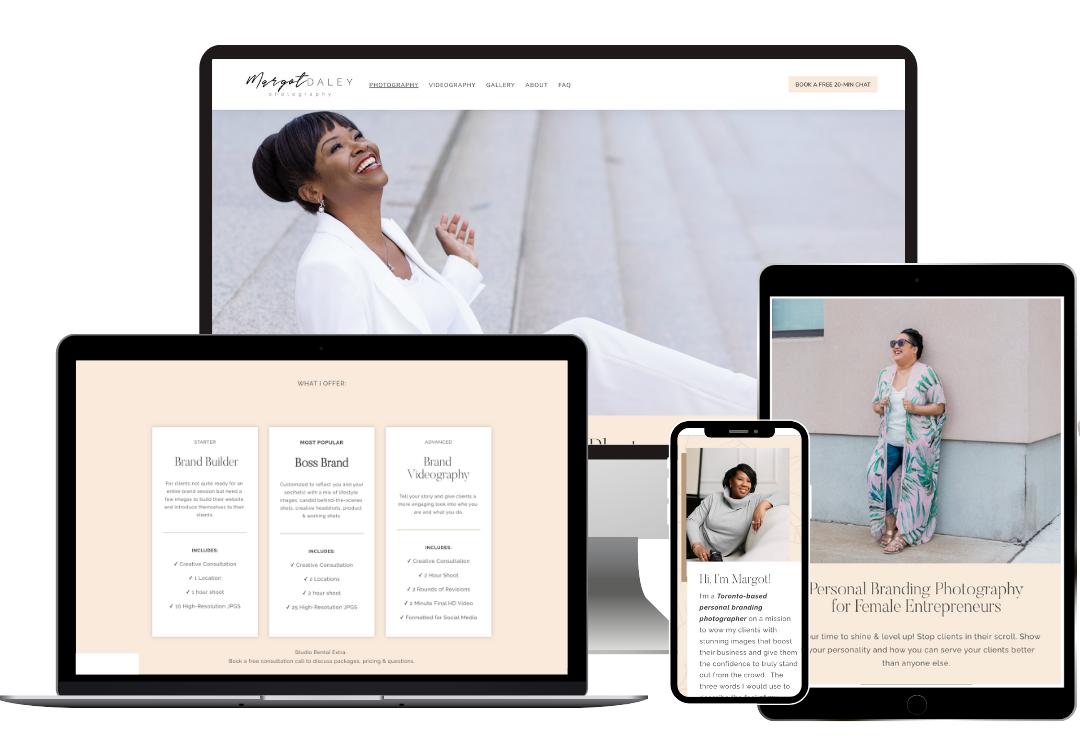
Multipage sites offer more flexibility and room to grow over time. If you're like me and have your hands in several different baskets, this is probably the better fit. They take more planning upfront and more ongoing maintenance (honestly, more than most people expect) but there's no way I could squeeze everything I do onto a single page.
If you're building a one-pager and keep running into problems fitting everything in, or you're worried the flow feels off, that's a sign a multipage site is what you actually need.
You can have a dedicated portfolio page, a blog, an about page, a services page, whatever you need. The trade-off is that it's more work to build and maintain. Especially if you have a lot going on month-to-month. (Guilty.)
To put it in artist terms, imagine trying to put everything on one page: your acting, your directing, your producing, that side hustle where you do web design and branding, and the coaching you're about to start offering, and...
I've lost you, haven't I?
(Those are all things I do, by the way. Hence: two separate multipage websites.)
That's exactly my point. If you try to cram all of that onto one page, anyone who visits your site will be just as lost. You need to section it out. One page per thing, or one website per distinct creative direction.
Now, if you have multiple projects of the same type (say, two plays running at once, bravo, I don't know how you find time to eat) you can absolutely group those together on one page. But if they're fundamentally different endeavors, like painting versus book writing, they need to be separate. Otherwise, you're confusing your audience.
Unless, of course, you're making illustrations for your book. In that case, it's one product, one page. One thing. That's the rule.
Still Confused? That's Okay.
I know that last bit was a little bit of a spiral. Where exactly is the line? The honest answer is: it depends. I hate that answer as much as you do. But here's what I can tell you: simply thinking about how to group your content already puts you ahead of a huge percentage of websites out there. Trust me on this.
My recommendation: before you design anything, do a content audit.
Write everything out in a Google Doc or Word Doc, not directly in your website builder, and start grouping things into rough themes. Make folders. Sketch it out on paper if you need to. It should take you ten minutes, and by the end of it you'll have this whole one-page vs. multipage debate sorted.
(And yes, the "don't write copy directly in your site builder" thing is a whole separate conversation. Coming soon.)
For now, gather your content, group it, and cut what doesn't belong.
Kill your darlings. 😉